
Original: $278.95
-70%$278.95
$83.68The Story
Calibrite ColorChecker Video charts make your workflow faster, more consistent, and more colour balanced. They allow everyone on your team – from producer to cinematographer to editor to colourist – to work with consistent colour information. They save you time, from pre-production through production, and help you get to your creative look faster. Achieving the proper colour balance and exposure for video can be challenging. F-stops in cameras don’t always match. Ambient lighting conditions change. Multiple cameras and lenses have different looks, even if they are the same brand and model. All of this adds up to quality control challenges and increased workload in post-production for your colourist or editor.
Features
-
Featuring four grayscale calibration bars and saturated and unsaturated RGB primaries
-
Extended skin tone patches for additional color precision
-
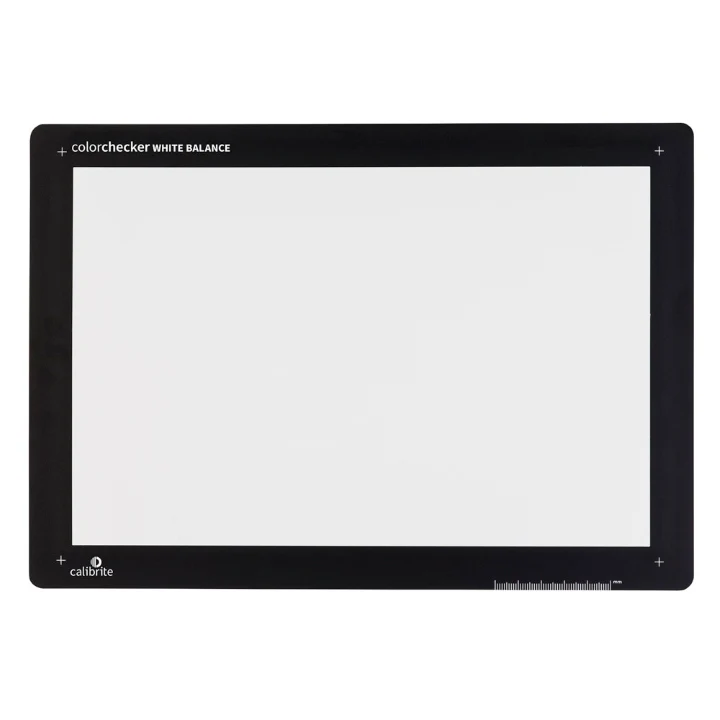
An 8×11 size white balance target on the back
-
This target is an essential tool when colour matching multiple cameras
-
Supported by many key third-party software applications
The ColorChecker Video Target includes:
Chromatic Colours: Six saturated and six de-saturated colour chips aligned with video production
Skin Tones: Six color chips from light to dark with different undertones
Gray Levels: Four larger steps for even gray balance, including white, 40IRE gray, deep gray, and high gloss black reference patches
Linear Grayscale: Six steps for even gray balance, including highlight and shadow regions
Illumination Check Chips: Black and white color chips at two corners to better assist in determining even illumination
White Balance Target: Create in-camera white balance to start at a neutral point for all the footage you capture.
Use for a variety of applications, including:-
Color grading
-
Color balancing
-
Gray balancing
-
Setting perfect exposure
-
Color matching multiple cameras
-
Shooting and editing for mixed lighting

Details & Craftsmanship
Every detail has been carefully considered to bring you the perfect product.
Details & Craftsmanship
Every detail has been carefully considered to bring you the perfect product.
Description
Calibrite ColorChecker Video charts make your workflow faster, more consistent, and more colour balanced. They allow everyone on your team – from producer to cinematographer to editor to colourist – to work with consistent colour information. They save you time, from pre-production through production, and help you get to your creative look faster. Achieving the proper colour balance and exposure for video can be challenging. F-stops in cameras don’t always match. Ambient lighting conditions change. Multiple cameras and lenses have different looks, even if they are the same brand and model. All of this adds up to quality control challenges and increased workload in post-production for your colourist or editor.
Features
-
Featuring four grayscale calibration bars and saturated and unsaturated RGB primaries
-
Extended skin tone patches for additional color precision
-
An 8×11 size white balance target on the back
-
This target is an essential tool when colour matching multiple cameras
-
Supported by many key third-party software applications
The ColorChecker Video Target includes:
Chromatic Colours: Six saturated and six de-saturated colour chips aligned with video production
Skin Tones: Six color chips from light to dark with different undertones
Gray Levels: Four larger steps for even gray balance, including white, 40IRE gray, deep gray, and high gloss black reference patches
Linear Grayscale: Six steps for even gray balance, including highlight and shadow regions
Illumination Check Chips: Black and white color chips at two corners to better assist in determining even illumination
White Balance Target: Create in-camera white balance to start at a neutral point for all the footage you capture.
Use for a variety of applications, including:-
Color grading
-
Color balancing
-
Gray balancing
-
Setting perfect exposure
-
Color matching multiple cameras
-
Shooting and editing for mixed lighting